
COPYRIGHT
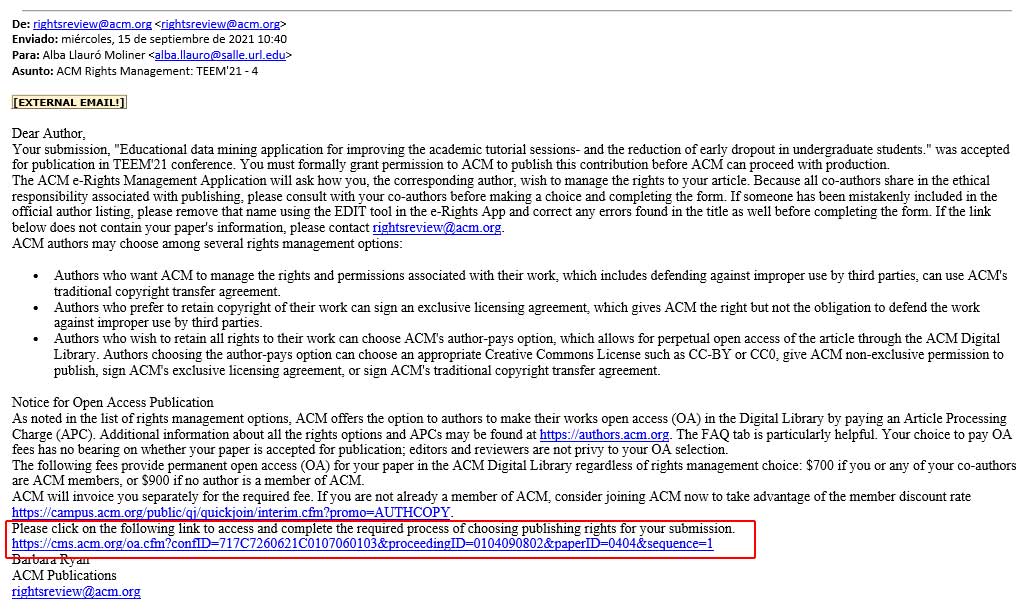
You will receive an email from ACM (ONLY FOR THE FIRST AUTOR OF THE PAPER) like the image. You must proceed by clicking on the link provided in the email. Please click on the link to access and complete the required process of choosing publishing rights for your submission.
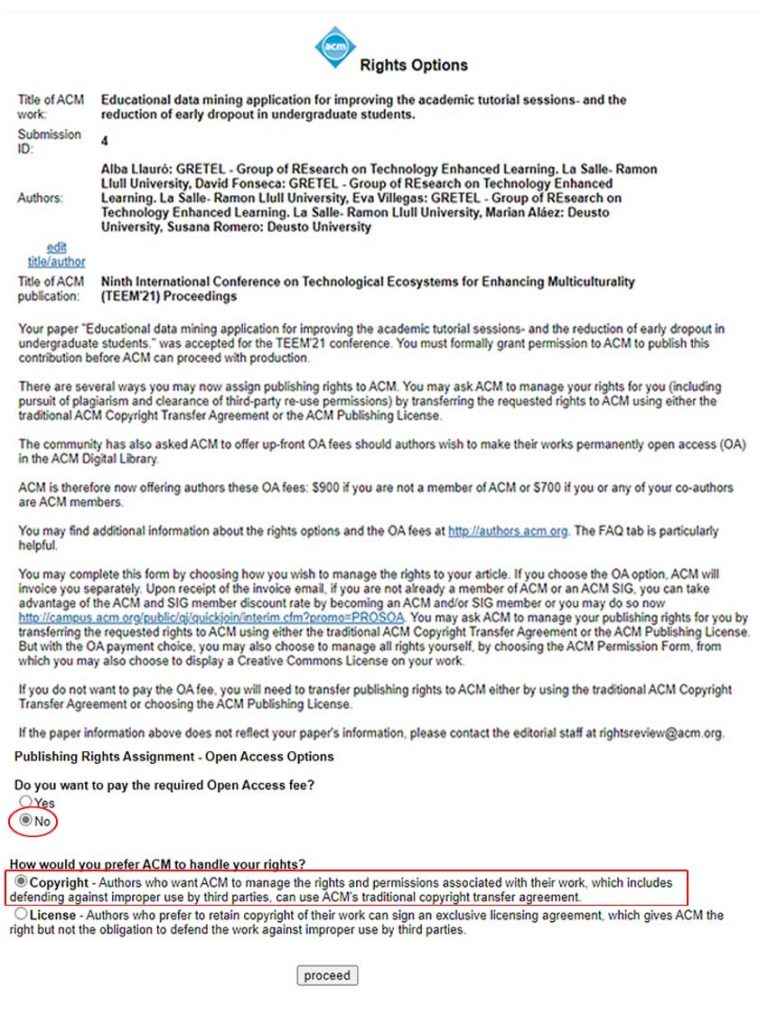
You have sent to a web with the following information. In our case that we have selected not to pay the Open Access, and manage the paper using COPYRIGHTS.
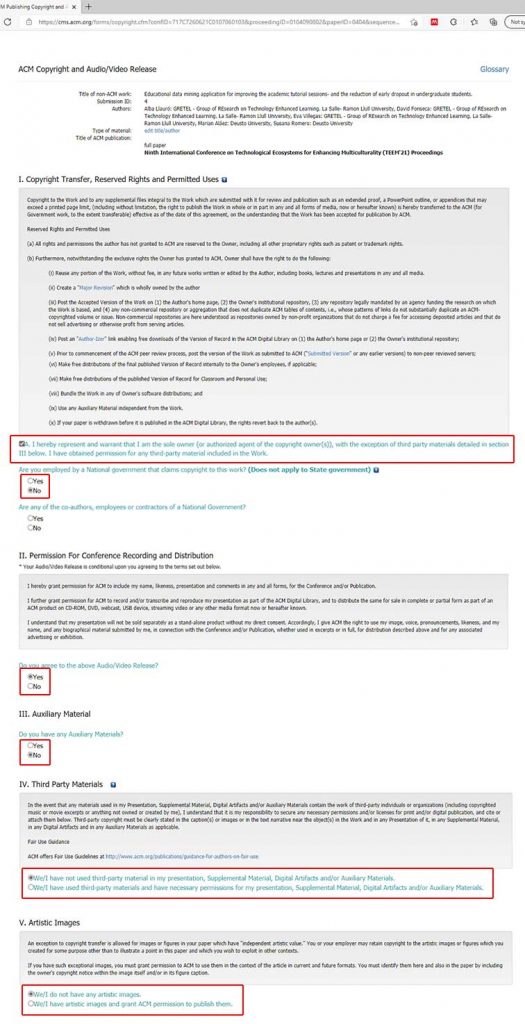
After the Proceed… you access a page where you need to select or not different options in the function of your paper and/or affiliation as you can follow the instructions below:
If you have added funding in your paper, you must put the data in the text box and ADD at this moment. As you can see this information will be added.
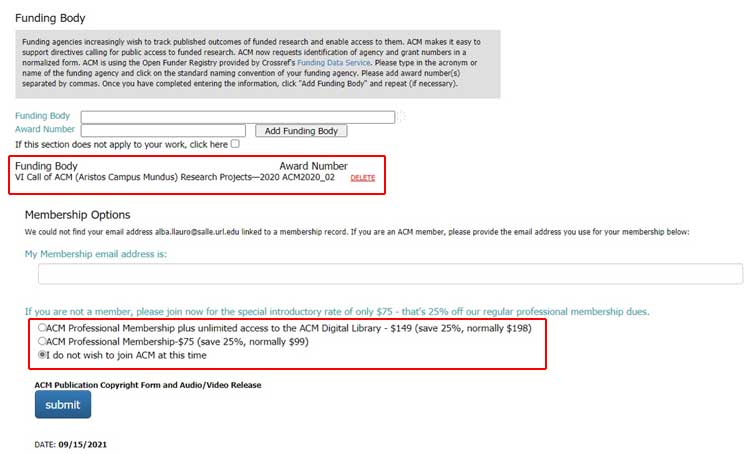
With the last option about the membership selected… and If you click the SUBMIT Button, you will have a message to check all the information and a final screen will appear where you can download the PDF with the Copyrights and DOI of your paper.
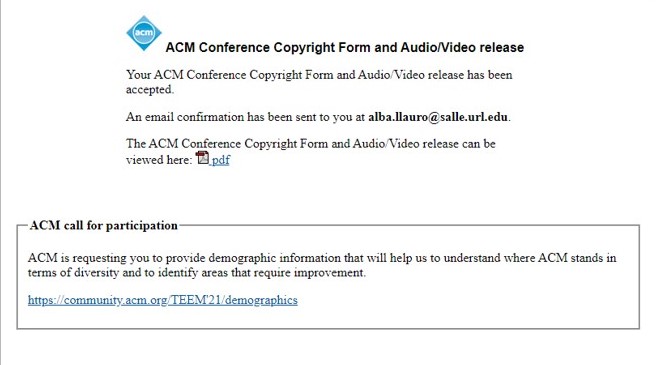
As you can see in the PDF, if you have used the templates of ACM, the TAPS system will ADD the rights statements for us and WE DON’T NEED TO ADD NOTHING MORE with your papers. If you have added the section ACM reference in your paper or in a negative case… remember that IT IS NOT NECESSARY, because you have used the ACM TEMPLATE.
TAPS SYSTEM
In the next step, you will receive an email from the taps system to upload your paper. Please use the link to upload the zip file of your paper for processing.
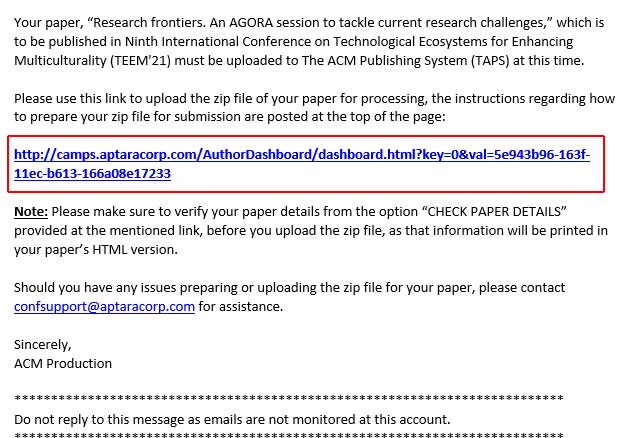
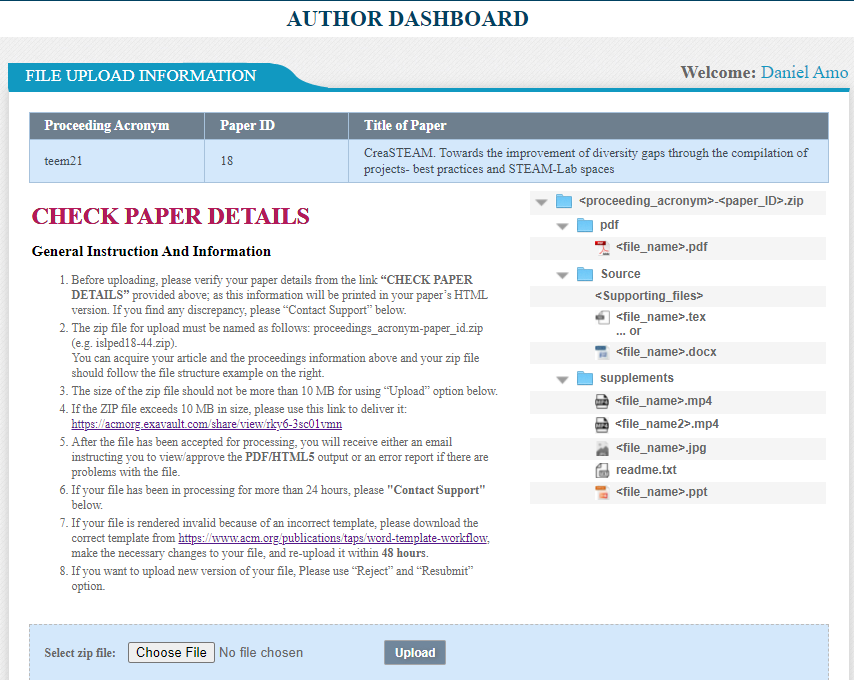
The instructions regarding how to prepare your zip file for submission are mentioned in the link. It is important to pay attention that:
• You must create three folders as you can see in the image with the names that you can observe: Source, pdf, and supplements.
• Inside of Source you must put the docx. File with the name teem21-18.docx (we have put the number 18, because is the ID that the TAPS system has defined for our paper).
• Inside of the pdf folder… the pdf with the same name…
• Inside of the supplements possible files (in our case nothing).
• YOU MUST CREATE A PDF WITH THE SAME NAME and upload it into the system. If the ZIP file exceeds 10M is necessary to click on the link of point 4 of the TAPS system.
After uploading your zip file, if the paper is correctly processed without errors, you will receive an email with the final PDF and a link to APPROVE your submission. In the pdf you can see that ACM-TAPS have included the REFERENCE and the COPYRIGHTS… (see below):
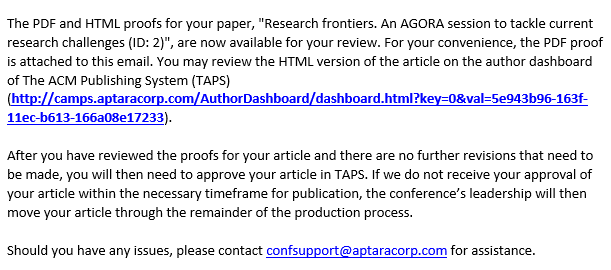
Click on the link and choose the approved button
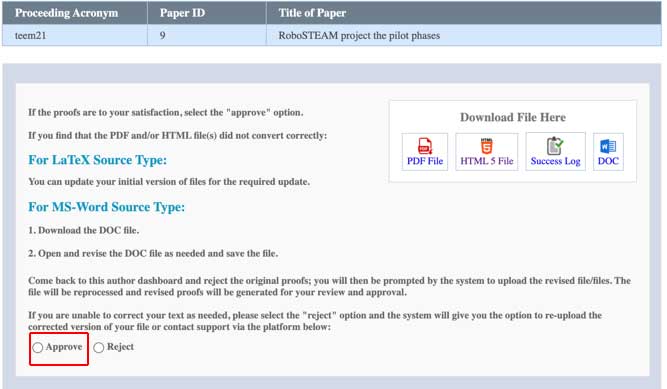
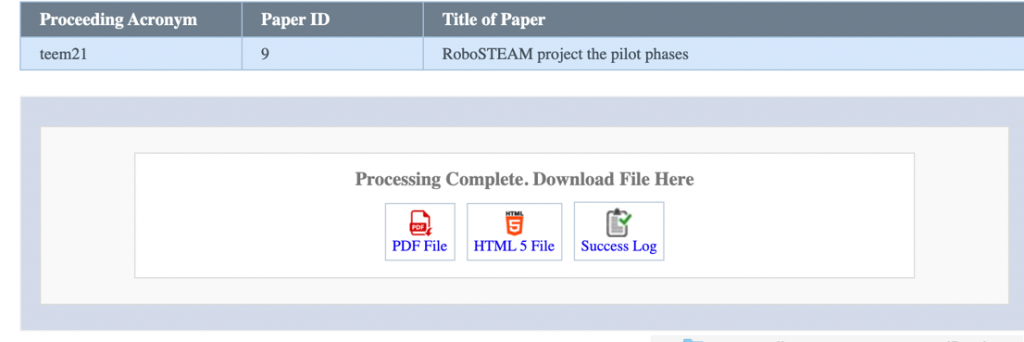
AFTER APPROVE validation the last page will be
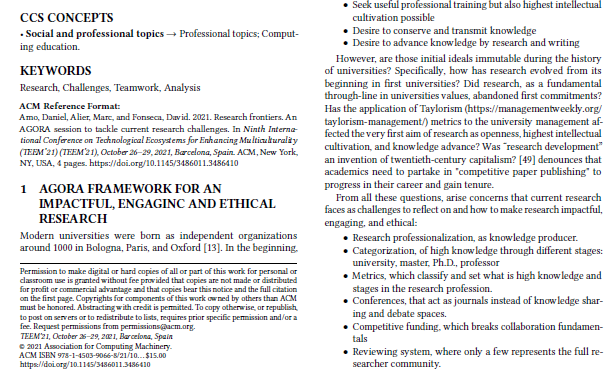
It is important to note that you have to send your DOCX and PDF file in one column and without any data about references and/or copyright as the template file uploaded in the Easychair. If the paper is correctly formatted, the TAPS system adds all information and changes the final document into TWO COLUMNS as you can see in the example below.
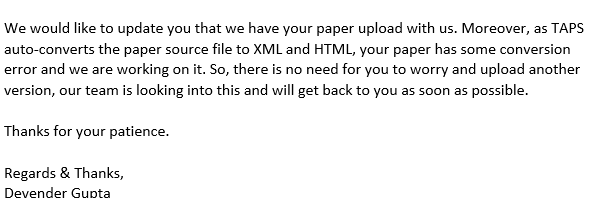
BUT…. If the TAPS system detects an error in your document. You will receive an email as below

THEN YOU NEED TO WAIT… in our case we have received a message some hours after like this:
WE KEEP IN CONTACT WITH THE SECOND PART ABOUT THE SOLUTIONS OR THE PROBLEMS WITH PAPERS THAT HAVE THEM